Push to talk
Hold. Talk. Let go.
Hold Ctrl+Win, speak, release: the text lands at the cursor. Prefer one press to start and one to stop? Switch to toggle mode. Bind any key combination with one click.
Ctrl Win
Dictation
Hold a hotkey, talk, let go. Your words land at the cursor, in any app. On a GPU or just the CPU, no cloud, no account.
Demo went well, two open bugs on the export path.
Let's move the launch review to Thursday at 3 pm and invite the design team.
Measured on one PC. Details and sources ›
Push to talk
Hold Ctrl+Win, speak, release: the text lands at the cursor. Prefer one press to start and one to stop? Switch to toggle mode. Bind any key combination with one click.
Waveform overlay
A small waveform at the bottom of the screen shows that NexusVox records. It never takes focus and ignores the mouse. Prefer sound? Pick chimes, the waveform, or both.
Voice commands
Spoken shortcuts for line breaks, tabs, capital letters and punctuation, plus number words as digits. English and German. An optional “press enter” at the end sends a chat message.
You sayIt types
“new paragraph” a blank line
“tab” a tab
“all caps” the next words in capitals
“twenty three” 23
Paste last text
Hold the hotkey, tap V, let go: nothing is transcribed, the text NexusVox pasted last is pasted once more.
Polish
Select text, hold the hotkey, tap the polish key and say what to do: “make it shorter”, “mach es formeller”. A local language model rewrites the selection in place, and Ctrl+Z undoes it.
Polish presets
Keep instructions you use often under a short name, like “prompt engineer” or “formelle Mail”. Say the name instead of the whole instruction, add words after it to adjust it, and mark one as the default for a tap of the polish key without a word.
Auto cleanup
Removes fillers (“um”, “äh”), false starts and repeated words, and fixes punctuation. The medium level fixes grammar too. If the reply does not look like your words cleaned up, NexusVox types what you said.
You sayIt types
“um, so I wanted, I wanted to say thanks” So I wanted to say thanks.
Correction dictionary
Names, product terms, jargon: fix a word once and every later transcript gets it right.
HeardTyped after you fixed it once
“next o box” NexusVox
Learn from edits
Correct a misheard word right in the app you dictated into, and NexusVox suggests a dictionary entry for it. You accept or dismiss it in Settings. It looks at the text field for 20 seconds after a paste, and never at password fields or terminals.
Review and retry
Replay a recording in the Review tab. Retry transcribes its stored audio again with the model you use now.
Dashboard
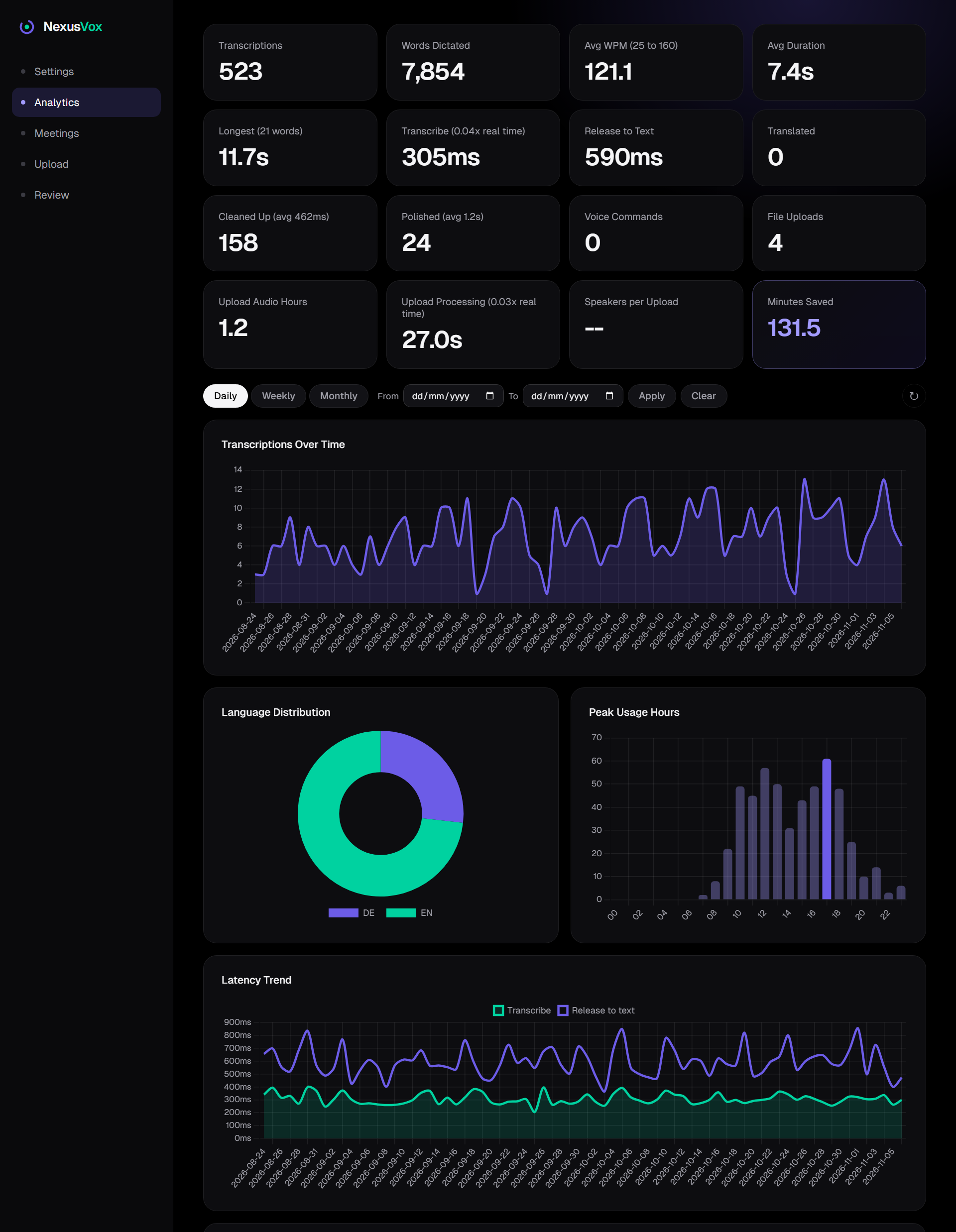
Words per minute, minutes saved, usage over time. Every transcription is stored on your PC and analysed there.
Short messages
Example
Reply to a chat, fill a form, jot a note. That is the median on one fast desktop CPU with 16 threads; the text still has to be typed after that. A slower CPU takes proportionally longer.
An example from our own measurements, not a customer story.
Long dictation
Example
Dictate a paragraph or a whole email without stopping. On the CPU, long German speech and short German clips land within a fraction of a point of each other. The test material is read speech, which is easier than a noisy room.
An example from our own measurements, not a customer story.
No graphics card
Example
Parakeet runs on the CPU, with no Docker. These are one desktop CPU pinned to fewer threads; a slower CPU will be slower still. Eight threads is the recommended minimum, four threads work but you wait.
An example from our own measurements, not a customer story.
One download for dictation and meetings. Windows 11, free for private use.